Cable Management Under $30: A Weekend Reset
A weekend cable management reset for under $30: trays, ties, and raceways that tame the nest behind your desk without drilling or deposit risk.
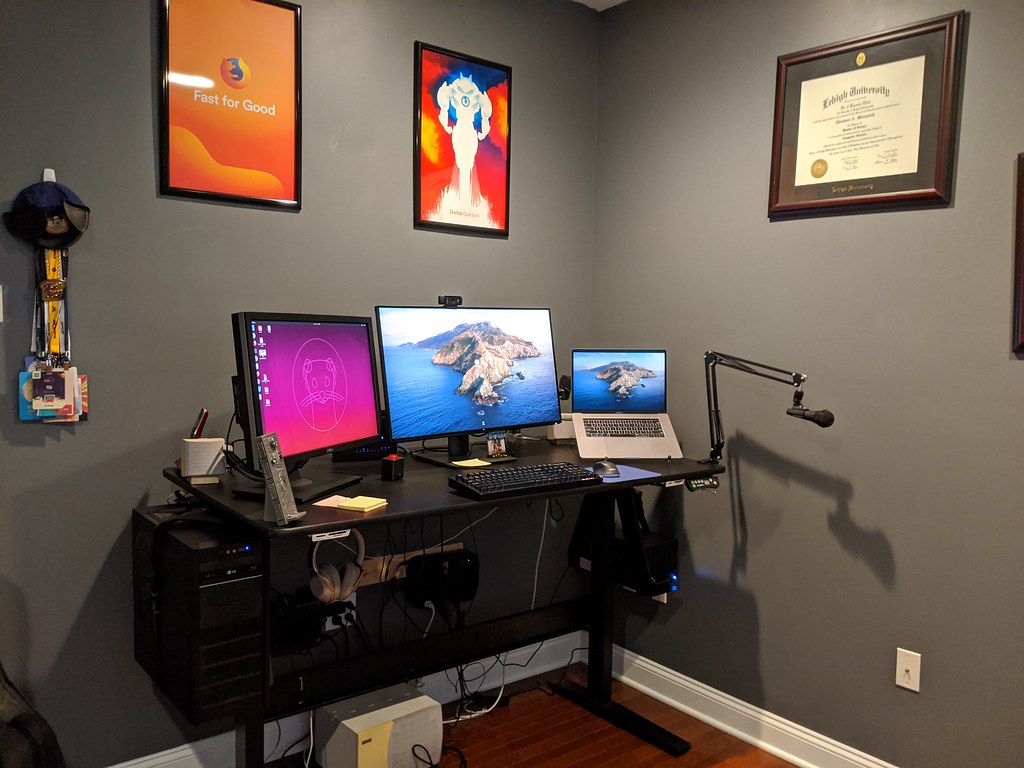
Photo: Ted Mielczarek · cc0 · source
It is Saturday morning, you sit down at the desk with coffee, and the monitor’s dark screen hands you a reflection you did not ask for: a braid of six cables hanging off the back edge, a power strip on the floor collecting a season of dust, and the laptop charger looping through a chair leg like it is trying to escape. Every vacuum session involves danger. Every desk adjustment involves unplugging something. The full fix costs less than a pizza and one honest hour — and most of that hour is unplugging, labeling, and re-plugging, not shopping.
The sequence matters more than the gear. Unplug everything, photograph the tangle first so you know what went where, and label both ends of each cable before you touch the routing. Group cables by type — power with power, video and data with their own bundle — and you will see immediately which runs are too long, which chargers are duplicates, and where the power strip actually needs to live.
The whole reset stays renter-safe if you bias toward adhesives and clamp mounts instead of drills, and anything else for the desk lives in our accessories category.
What actually matters before you buy
Mounting method decides whether your deposit survives. Under-desk trays either screw into the underside of the desk — perfect if you own it, a landlord conversation if you do not — or mount with strong adhesive pads on smooth surfaces. Check which hardware the listing actually includes, because product photos rarely show it.
Respect the weight rating. A tray carrying a power strip plus a brick plus six cables is heavier than it looks, and cheap trays flex or drop their adhesive when overloaded. If the load is heavy, screws or a clamp mount win. If it is adhesive, keep the strip in the tray and the bricks outside it, or split the load across two trays.
Velcro beats zip ties for anything you might change. Hook-and-loop ties reopen when you swap a device, and they do not pinch cables the way overtightened zip ties can. A cut-to-length roll covers an entire desk for a few dollars and quietly does most of the work in this project.
Match the adhesive to the surface and the exit plan. Textured walls, fresh paint, and cheap finishes are where adhesive projects end in flakes and residue. Test a small patch first, warm the pad with a hair dryer when removing, and pull slowly at a shallow angle — the standard trick for taking things off without peeling paint.
Separate power from data. At desk distances the interference worry is small, but keeping power and HDMI runs in separate bundles pays off every time you change a device: you only open one bundle, and nothing gets knocked loose.
Leave slack where devices move. Anything with a hinge, a drawer, or a rising desk column needs a service loop — a little extra length so the cable moves instead of stretching. Rigid runs are what snap connectors two months later.
How to get more out of what you already own
Half of cable management is stuff you already own. Binder clips make free cable holders on the desk edge; the twist ties in every electronics box handle short runs; and the power strip you already have mounts under the desk with two velcro straps instead of sitting on the floor as a dust collector. Labeling is the highest-value five minutes of the whole project: a strip of tape on each end with the device name written on it turns every future change from archaeology into a two-second job.
Then fix the source of the tangle, not just the symptom. Three charging bricks behind the monitor become one multi-port GaN charger and a single cable — our GaN charger picks cover the details — and one cable to the desk means one run to dress, not four. Give the finished setup a two-minute check every few months, because cables migrate the way desk clutter does.
The picks, briefly
The three below split the job the way a real desk does: one tray for the bulk under the desk, ties for the bundling, and a raceway for the one cable that still has to cross a wall.
Yecaye Under Desk Cable Management Tray
One steel mesh tray turns the nest under the desk into a single tidy run.
Best for: Anyone with a power strip and three or more cables hanging off a desk
- Steel mesh mounts with included screws, or strong adhesive pads on smooth undersides
- Open mesh design means no dust pockets and easy re-routing later
- Screwing into a desk is not an option for every renter — check the underside first
- Budget trays flex when loaded past their weight rating
Velcro Brand One-Wrap Cable Ties (Roll)
The five-minute fix that quietly does most of the work in the whole reset.
Best for: Bundling runs behind the desk and inside the tray
- Reusable hook-and-loop reopens as gear changes, unlike zip ties
- Cut-to-length roll covers an entire desk for a few dollars
- Adhesive-backed versions can leave residue on some finishes
- Too soft for long vertical runs — those want clips or a raceway
D-Line Mini Self-Adhesive Cable Raceway
For the one cable that must cross a wall, a paintable raceway makes it disappear, renter-safe.
Best for: Wall runs where drilling is not allowed
- Self-adhesive install with no drilling, and it paints over to match the wall
- Hinged lid snaps open when you change the run
- Adhesive has real weight limits — a cable or two, not a power strip
- Clean corners need a saw cut of the straight lengths, which some people will skip
FAQ
Will adhesive mounts damage my walls or desk?
Quality pads come off clean from smooth, non-porous surfaces if you warm them with a hair dryer and pull slowly at a shallow angle. Textured walls and fresh paint are the risk cases — test a small patch first and keep screws as the backup plan.
Zip ties or velcro — which should I use?
Velcro for anything you might change, which is most of a desk. Zip ties are cheaper per bundle but single-use, and overtightening them can pinch cable jackets.
Where do I start if the tangle is overwhelming?
Unplug everything and photograph the mess first. Label both ends of each cable, group power separately from data, then rebuild one device at a time so you never have to guess what a mystery cable was for.