Best Budget Noise-Cancelling Headphones for Commuters
What budget noise-cancelling headphones can and can't do on a commute, which specs matter, and three picks chosen from published specifications.
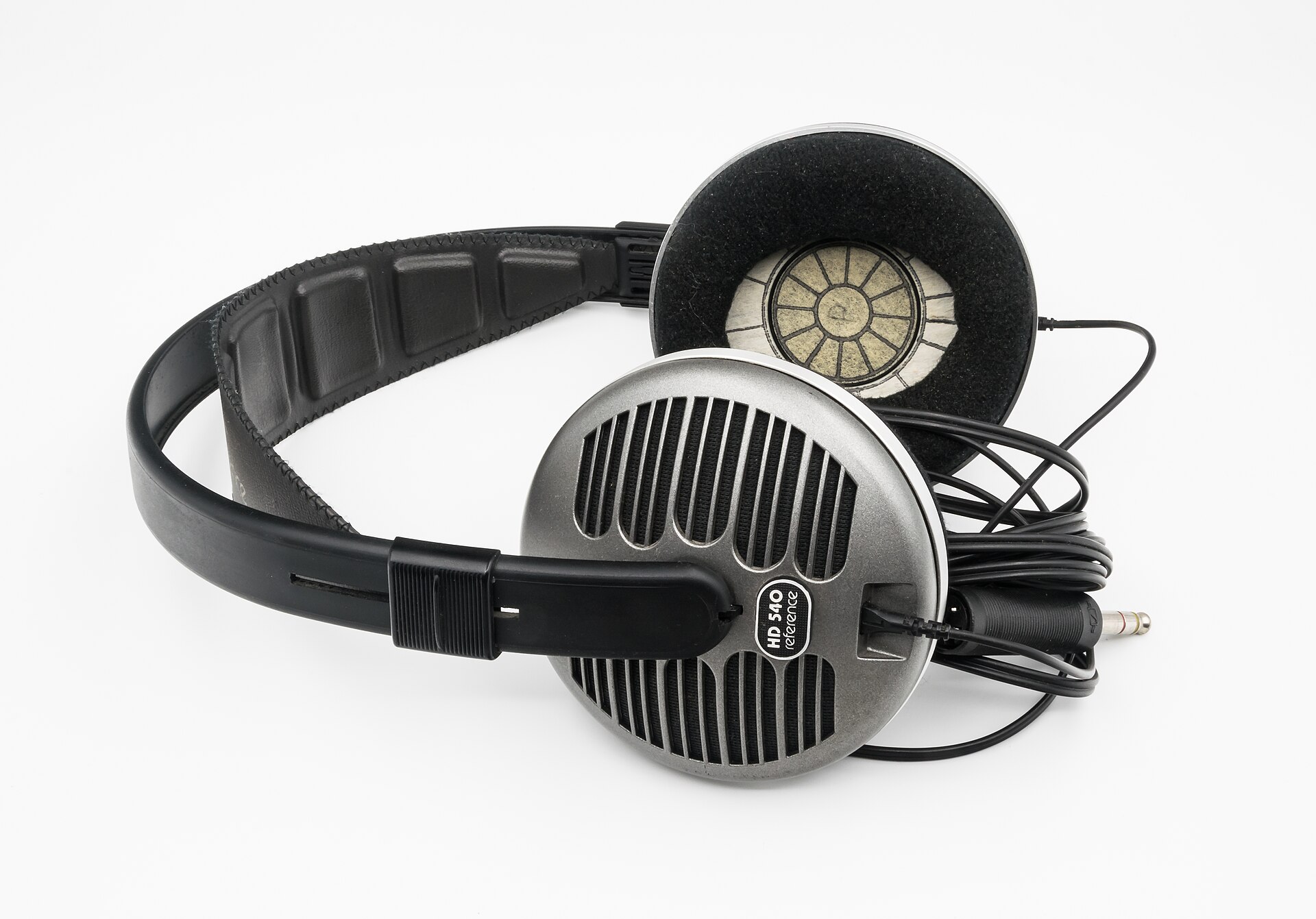
Photo: Jacek Halicki · CC BY-SA 4.0 · source
It’s 7:42 on a weekday morning, and the train comes screeching into the station while you’re still adjusting the headband. You flip the switch, the low rumble under your feet collapses into a distant hum, and the platform announcement fades to a suggestion. The city is still there. It just stops shouting.
A commute is the honest proving ground for budget noise cancelling. An hour a day, both directions, gloves in the winter, a dead battery on Fridays — that routine exposes both the magic and the limits of cheap ANC faster than any spec sheet can.
The trick is knowing what budget ANC can and can’t do before you buy. It will erase a train’s drone. It will not erase a talkative office. Those two sentences, understood early, are the difference between a satisfying purchase and a return label.
What actually matters before you buy
- Understand what ANC actually cancels at this price. Budget hybrid systems are best at constant low-frequency noise — train rumble, bus drone, cabin hum. Voices, keyboards and sudden screeches only fade partway. If your target noise is a chatty coworker, isolation plus a podcast does more than cheap ANC ever will.
- Comfort outranks raw power over a 45-minute ride. A tight clamp or shallow pads turn hour two into a headache, literally. Look for lighter frames and deeper pads, and if you wear glasses, softer pad material decides whether you keep them on or spend the ride counting stops.
- Read battery ratings with ANC in mind. Headline numbers are quoted with ANC off; turning it on cuts playtime substantially on many budget models. Plan your charging around the ANC-on figure that makers publish alongside the headline — based on published specifications, not wishful math.
- Insist on a wired fallback. A 3.5mm input that works with a dead battery turns a flat Friday into a non-event, and it’s handy on flights and at desks where Bluetooth is one more thing to manage.
- Multipoint is the sleeper feature. Being paired to your phone and your work laptop at once — a few budget sets manage it — quietly removes the daily dance of disconnecting and reconnecting. If you take calls from a computer, prioritize it.
- Check the hinge and the app. A folding frame survives a backpack; a rigid one needs its own bag. And the companion app matters more here than driver size: EQ presets and firmware updates meaningfully change how these headphones sound and cancel over their life.
How to get more out of what you already own
Start with firmware, because it’s the step most owners skip. Budget headphone apps push updates that genuinely improve ANC behavior and fix connection quirks, and installing one takes the length of a train ride. While you’re in the app, set an EQ preset you like — something flatter for music, something brighter for podcasts — instead of living with the stock tuning, which at this price tends to be bass-heavy.
Then protect the hardware. Don’t crush the headband under a laptop in an overstuffed bag; hang the headphones on a hook or lay them flat. Ear pads are consumables — replacement memory-foam pads for popular models cost little and revive both comfort and isolation on a well-worn pair. Charge weekly rather than running to zero, and if the headphones will sit in a drawer for a month, store them around half charge.
Finally, learn your commute’s quiet stretches. Transparency mode beats pulling the headphones off every time a conductor approaches, and wired mode at the desk saves battery for the ride home. If some days your commute is actually the gym, our under-$50 earbuds guide covers the other half of a commuter kit, and everything else we like lives in /category/audio/.
Storage between commutes matters more than it sounds. A closet shelf beats a backpack pocket where keys can scratch the ear cups, and if you drape headphones around your neck all day out of habit, the headband ages twice as fast — take them off at the desk. That’s not preciousness; it’s that budget sets don’t carry surplus materials to sacrifice.
The picks, briefly
The three below cover the budget ladder: the cheapest set worth owning, the step-up commuters actually notice, and the name-brand option for people who want familiarity and a folding hinge.
Soundcore Q20i
The entry point for hybrid ANC without spending over $50.
Best for: First-time ANC buyers on a hard budget.
- Rated for up to 60 hours with ANC off and 40 with it on, per Soundcore's published specifications
- Hybrid ANC plus a transparency mode, rare at this price
- Plastic build and a firmer clamp than pricier sets
- Bass-heavy stock tuning; the app EQ is basically required
Soundcore Life Q30
The step-up that gets you meaningfully quieter trains for not much more.
Best for: Daily commuters who want the most ANC per dollar.
- Strong low-frequency cancellation for train and bus hum, based on its published hybrid ANC design
- Rated for up to 40 hours without ANC, with USB-C fast charging
- With ANC on, expect meaningfully less than the headline number
- Memory-foam pads run warm on long summer rides
JBL Tune 660NC
The name-brand option when familiarity and a folding frame matter.
Best for: Commuters who want JBL's app and easy packing.
- Rated for up to 55 hours over Bluetooth and 27 with ANC on, per JBL's published specifications
- Folds flat and includes a wired 3.5mm fallback for dead batteries
- On-ear fit leaks some low-frequency isolation and presses on the ears over long rides
- No hard case in the box, just a pouch
FAQ
Can budget headphones really cancel train noise?
Low-frequency rumble, yes — that's what hybrid ANC handles best. Expect only partial reduction of voices and sharp sounds; ANC is a dimmer switch, not a mute button.
How long do batteries last with ANC on?
Often roughly half the headline number, since makers rate with ANC off. Check the ANC-on rating when it's published, and build a weekly charging habit.
Is multipoint worth prioritizing?
If you take calls from a laptop and music from a phone, absolutely — it removes the constant re-pairing. If you only ever use one device, don't pay extra for it.