Smart Lighting for Renters: No Wiring, No Damage
Smart lighting for renters: no wiring, no damage, nothing to repaint. What to check before buying bulbs, plus three picks that move with you.
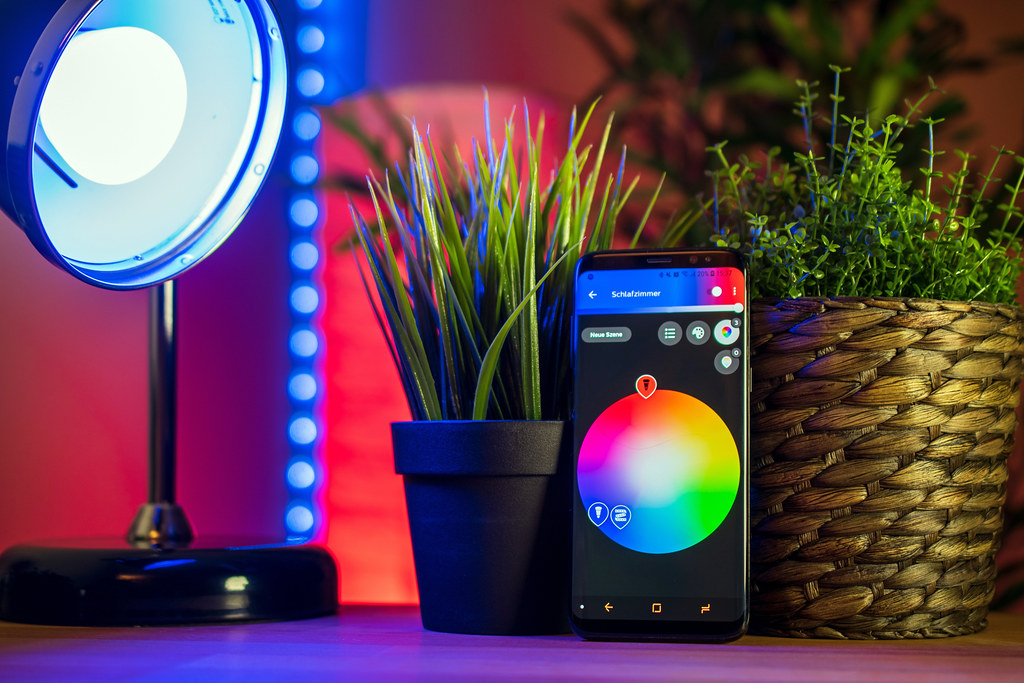
Photo: chimpwithcan · by · source
The hour between sunset and dinner is when your rental shows its true colors, and right now those colors are one builder-grade ceiling fixture and a bare bulb in a lamp you have been meaning to replace for two leases. You flip the ceiling light off and the lamp on, and the room still feels like a waiting room with a couch in it. Warm, layered light is the cheapest atmosphere upgrade that exists, and for renters it now needs zero wiring, zero drilling, and zero touch-up paint — just bulbs that unscrew and leave with you.
Renter-friendly smart lighting comes in three shapes. Smart bulbs replace whatever is already in your lamps and fixtures — the classic move. Smart LED strips add bias light behind a TV or under a shelf with adhesive you can remove carefully. And a smart plug in front of a lamp you already own gets you scheduling today, as covered in our smart plug starter guide. The bulb route is the one with the most control: brightness, warmth, schedules, and color, all from an app.
All of it lives in our smart home category, but the short version is below.
What actually matters before you buy
Hub or no hub. Bluetooth-and-app bulbs work out of the box, room by room, and that is enough for most renters — you rarely need away-from-home control enough to justify an extra box on day one. A hub or bridge buys you remote access and snappier response with many bulbs. Matter-labeled bulbs split the difference by joining Apple Home, Alexa, or Google directly; check the box, because it varies by model even within one brand.
Warm range matters more than rainbow. Read the Kelvin number, not the marketing. Around 2700K and below reads as warm and cozy; bulbs that bottom out near 3000K will always feel slightly clinical at night. Color is fun for weekends, but the warm floor is what you live with every evening.
Judge brightness in lumens. An 800-lumen bulb matches the old 60-watt feel, which is right for lamps. Fully enclosed ceiling fixtures usually want more. App dimming makes a lower-lumen bulb more usable, but it cannot manufacture light that was never there.
Respect the two fixture kill conditions. Enclosed fixtures trap heat, and many bulbs carry a not-for-enclosed-use note — check before screwing into that sealed dome. Wall dimmer switches are the other trap: they feed smart bulbs uneven power and cause flicker. Set any existing dimmer to full and leave it there, or skip that fixture entirely.
Check what happens when the internet does. Schedules stored on the bulb keep running without Wi-Fi on most decent models. The bigger real-world dependency is the wall switch staying on, because flipping it off kills the bulb’s brain — some people tape the switch, and at minimum you should label it.
Price the room, not the bulb. Multi-room lighting at premium prices gets real fast. One brand’s bulb costing triple is fine for a living room centerpiece and less fine when you need six of them. A warm bulb in the living room lamp plus one in the bedroom is a complete first build for most apartments — you can always add rooms later.
How to get more out of what you already own
Start by making the switch obsolete. Once the bulb is in, the wall switch becomes an on-only switch — control everything from the app, a voice assistant, or schedules instead. Then set one sunset-based schedule rather than a fixed time: bulbs that shift warm and dim as the sun goes down make the apartment feel deliberate in exactly the hour you notice lighting most.
Strips deserve their own caution for rentals. Test the adhesive behind something out of sight first, and never press strips onto textured walls or fresh paint; behind a TV, under a shelf, or along the back of a desk gives you the glow without risking the deposit. When move-out day comes, unscrew the bulbs, reset them so they forget the old Wi-Fi, and pack them with the lamps — the whole rig travels in a shoebox.
The picks, briefly
Three bulbs below cover the three realistic strategies — budget color with Matter, dependable everyday scheduling, and the premium build once you know you will use it for years.
Govee Smart Light Bulb (Matter Compatible)
Budget color and scene effects, with Matter support smoothing the smart home integration.
Best for: Renters who want color scenes without hub money
- Matter compatibility means it joins Apple Home, Alexa, or Google directly, based on published specifications
- Scenes, schedules, and dynamic effects in the Govee app
- The Govee app is busy, with notifications you will spend a minute turning off
- 2.4GHz pairing only
TP-Link Kasa Smart Bulb KL125
The dependable, boring-in-a-good-way pick for everyday white light and simple accent color.
Best for: Set a schedule and forget it exists people
- Strong scheduling and away mode in one of the cleaner apps in the category
- Dimmable, tunable white from warm to cool, with no hub required
- Color saturation trails pricier bulbs — fine for accents, not showpieces
- 2.4GHz-only pairing
Philips Hue White & Color Ambiance (Bluetooth)
The buy-once bulb you will move through three apartments — if the per-bulb price does not sting.
Best for: People stacking bulbs room by room over time
- Works over Bluetooth out of the box, upgradeable to the Hue Bridge later for away-from-home control
- Consistent color and a polished app, backed by Hue's long track record
- Per-bulb price sits well above the budget tier
- Bluetooth range is short; multi-room setups really want the Bridge
FAQ
Will smart bulbs damage my light fixtures?
No — they screw into standard sockets like any bulb and come with you when you move. The only real checks are heat in fully enclosed fixtures and wall dimmer switches set below full, which cause flicker.
Can I use smart bulbs in a lamp controlled by a smart plug?
You can, but it is redundant and a bit fragile: the plug schedules the power, the bulb schedules itself, and the bulb also needs the wall switch left on. Pick one brain — a plug for plain on-and-off, a bulb for dimming and warmth.
What happens when I move out?
Unscrew the bulbs, reset them through the app so they forget your Wi-Fi, and pack them like anything else fragile. Strips come off with slow, low-angle pulling; warm the adhesive first to protect the paint.