Before You Buy a Smartwatch: The Compatibility Checklist
The smartwatch compatibility checklist: iPhone vs Android limits, carrier eSIM support, health data sync, and update promises — read before you buy.
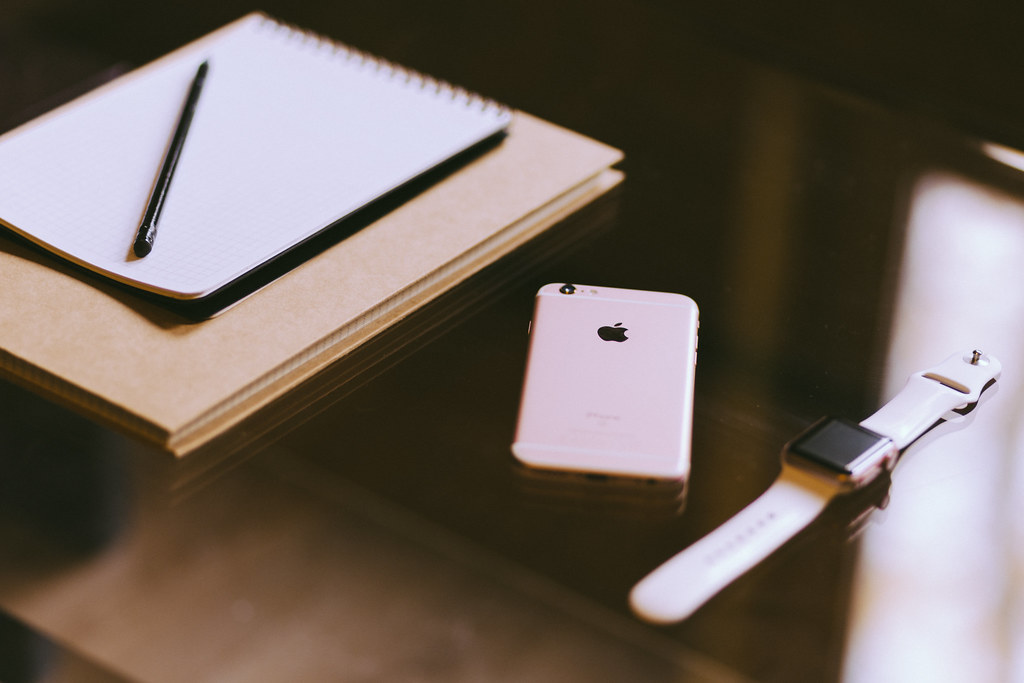
Photo: freestocks.org · cc0 · source
It’s 8 p.m., the desk lamp is on, and a new smartwatch sits on the wooden desk next to your phone. The pairing screen has been spinning for three minutes. The box said it works with Android. Your phone is Android. And yet here you are, reading a support thread that opens with the words “which phone do you have?”
This scene plays out constantly because compatibility is the spec nobody reads until it fails. The real question is never “does it connect?” It’s “which features actually work with your phone, your carrier and your health apps?” — and those are three different questions.
Ten minutes with a checklist prevents the return-shipping run. Here it is, in the order that saves the most money.
What actually matters before you buy
- Your phone decides more than your budget does. Apple Watch pairs only with iPhones — there is no workaround. Wear OS watches from Samsung and Google pair only with Android phones. Garmin, Amazfit and a few others work with both platforms, trading some smartwatch polish for that flexibility. Decide from the logo on the back of your phone before you compare spec sheets.
- Check feature gating, not just connection. A Galaxy Watch pairs with many Android phones, but its blood pressure and ECG features require a Samsung phone and the Samsung Health Monitor app, and only where regional health regulations allow. A Pixel Watch requires Android and is most seamless beside a Pixel. “Compatible” and “fully functional” are different words.
- Verify carrier support before buying the LTE version. An eSIM watch needs your carrier to support that exact model on that exact plan — the list lives on your carrier’s site. Paying extra for cellular on an unsupported carrier buys you a very expensive step counter.
- Find out where your health history will live. Apple Health, Google’s Health Connect, Garmin Connect — your data ends up in one of these houses, and moving out later is friction. Health Connect can bridge Android fitness apps, but think about where the last five years of data are now and whether the new watch can see them.
- Match the minimum phone OS. The watch box lists required iOS or Android versions, and an aging phone can fail that check while failing nothing else. Verify before purchase rather than at 8 p.m. on pairing night.
- Ask how long the watch stays supported. Update commitments vary by maker; Apple has historically supported watches for years, and Samsung and Google advertise multi-year Wear OS update promises on current models. A watch that stops receiving updates is a bracelet with a very nice screen.
How to get more out of what you already own
Already paired? Triage notifications first, because a watch that buzzes for every email is a watch that lives in a drawer. Most platforms let you mute per app — keep the calls, the calendar and the two people who matter, silence the rest. Battery improves more from turning off the always-on display and enabling raise-to-wake than from any trick: in day-to-day terms that single toggle commonly adds a day between charges, though exact gains depend on the model.
Bridge your data rather than abandoning it. On Android, Health Connect passes workouts and sleep between Fitbit, Garmin and Google’s own apps, so changing watches doesn’t amputate your history. When you switch phones, unpair properly and keep the old phone nearby on Wi-Fi during the transfer — the watch’s backup lives there. Factory reset only after the new pairing is confirmed working.
And when pairing does go wrong: update the phone’s OS and the companion app first, then re-pair, and only then reach for a reset. If your honest conclusion is that you want two weeks of battery more than you want a third app screen, a fitness band is the better answer — see our fitness tracker guide, and the rest of our wearable coverage lives in /category/wearables/.
The picks, briefly
The three watches below sit on different answers to the first checklist question: one is iPhone-only by design, one is the Wear OS value pick with an Android catch, and one crosses both platforms cheerfully.
Apple Watch SE (2nd gen)
The default iPhone answer — and proof that the checklist starts with your phone.
Best for: iPhone owners who want the tightest integration.
- Deep iPhone and Apple Health integration, with crash and fall detection per Apple's published feature list
- WatchOS has a long, consistent update track record
- Does not pair with Android at all — non-negotiable
- No always-on display at this tier
Samsung Galaxy Watch FE
The Wear OS value pick, with a catch for non-Samsung phones.
Best for: Galaxy phone owners who want health extras without flagship pricing.
- Full Wear OS app breadth plus Samsung Health's polished tracking
- Keeps the core smartwatch experience well below flagship prices
- Blood pressure and ECG features require a Samsung phone and the Samsung Health Monitor app, where regional regulations allow
- This class of watch charges nightly or close to it — don't buy it for multi-day battery
Garmin Forerunner 55
The cross-platform choice when the checklist answer is 'either phone could work.'
Best for: Runners who switch between iPhone and Android, or want weeks of battery.
- Pairs with both iOS and Android through Garmin Connect
- Rated for up to two weeks in smartwatch mode, per Garmin's published specifications
- Smart features are basic — notifications only, no deep third-party app scene
- Monochrome display looks dated next to AMOLED watches
FAQ
Can an Apple Watch work with an Android phone?
No. Apple Watch requires an iPhone for setup and daily use — there's no workaround. Android buyers should look at Wear OS watches or cross-platform options like Garmin instead.
Do all smartwatch features work with any Android phone?
No. Samsung's ECG and blood pressure features need a Samsung phone and its Health Monitor app where supported. Pixel Watches pair with any modern Android but are most seamless on Pixels.
Is the LTE version worth the extra cost?
Only if your carrier supports the exact model and you genuinely leave your phone behind on runs or errands. Otherwise Wi-Fi plus Bluetooth covers most days, and you skip the recurring plan fee.